Have you ever tried to send someone walking directions and Google Maps gives them a route that’s… obviously not the one you’d take?
This happened to me when I was moving out of my apartment in Geneva. I had so many viewings in a few days (if you’ve lived there, you know). The apartment was super close to the train station. You could walk there in a couple of minutes.
But Google kept sending people on a 36-minute detour along a big road.
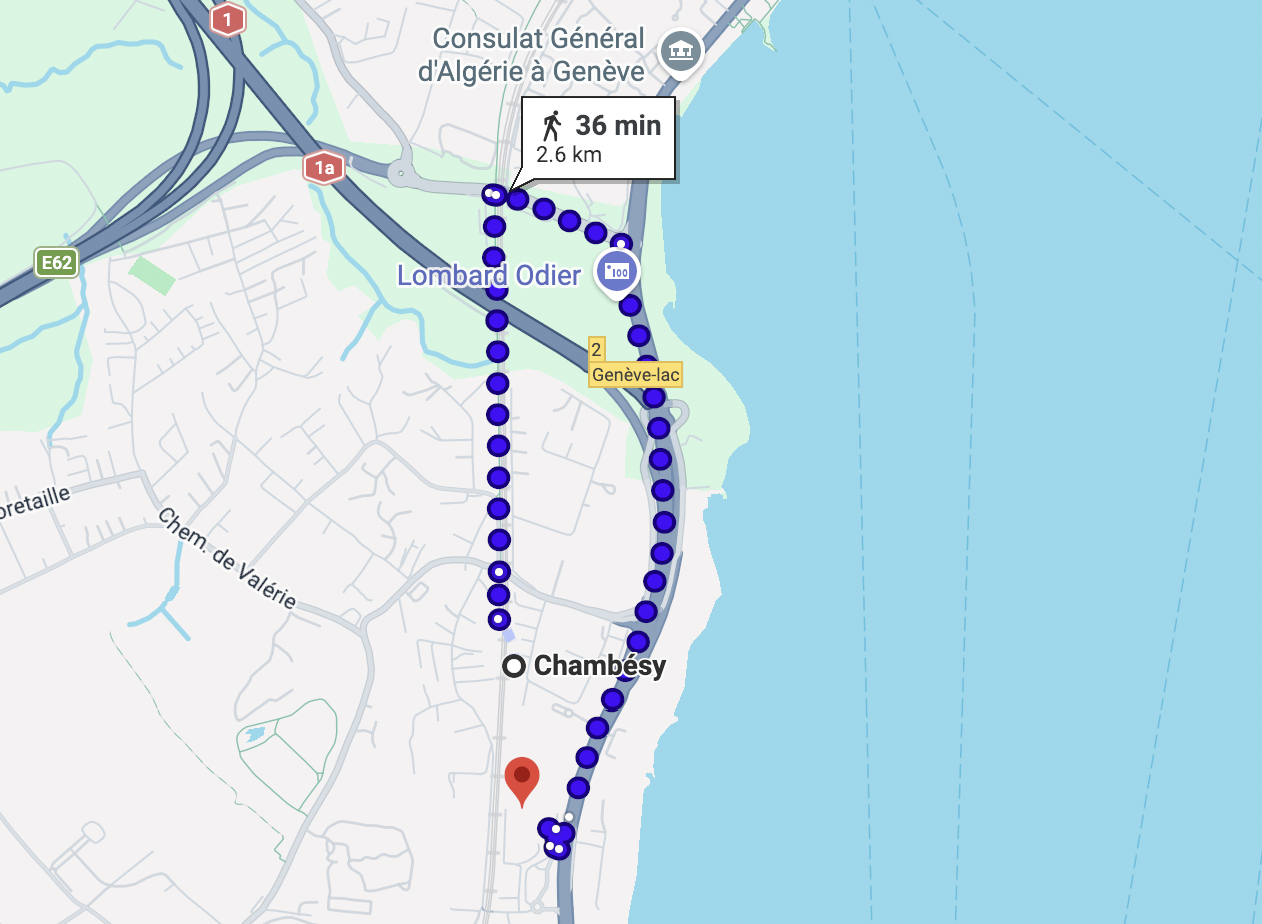
Google Maps suggested more than 10x longer detour route. At least they got to work towards their 10 000 steps a day.
So why do we get this long and dreadful route? Because Google Maps didn’t know the little pedestrian path.
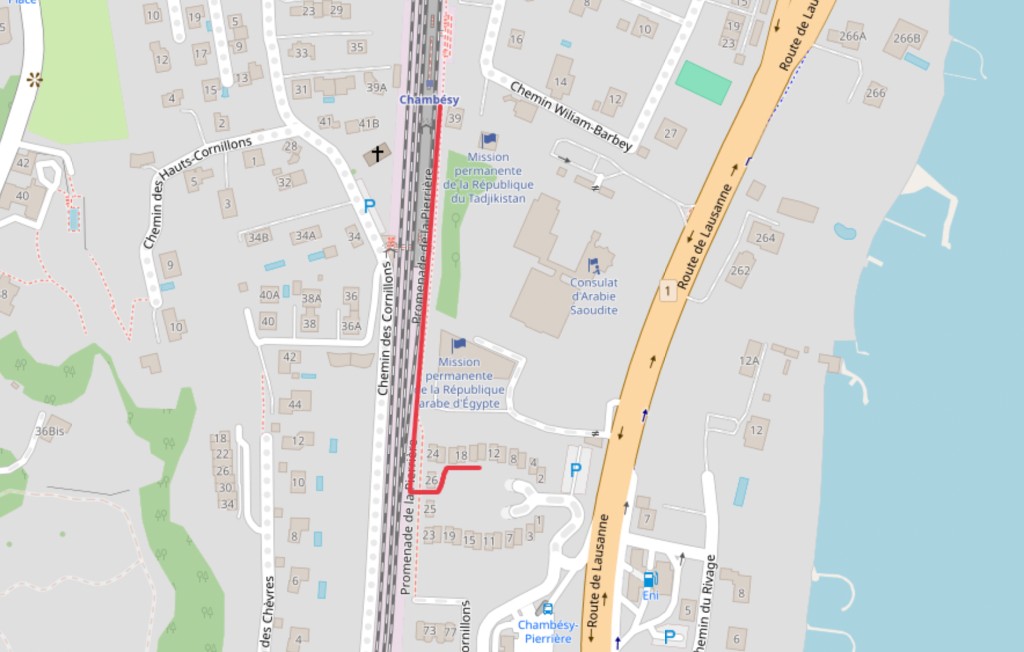
The shortcut: a small pedestrian connection that’s easy to miss in routing.
After the third “are you sure this is the way?” message, I realized I didn’t need a smarter map. I just needed a simple way to show the shortcut.
That’s exactly what Draw on a Map is for.
Most apps I tried felt like overkill for that. I didn’t want to create a project, invite people, log in, manage layers… I just wanted to draw a line and send a link. That’s it.
So me and my partner built Draw on a Map: a simple tool where you can draw lines, arrows, circles (or freehand), pick a color, and share the link. No account, no fuss.
How to share a shortcut in 60 seconds
- Open Draw on a Map
- Search the location
- Draw the shortcut and share the link
Because honestly, a link with a drawn route beats a wall of instructions.
We still use it all the time for the same kind of thing:
- shortcuts Google Maps doesn’t pick up
- hikes or trails that aren’t properly routed
- “walk this way” directions where text gets confusing fast
FAQ (quick answers)
Do people need an account to view it?
No.
Can I use it on my phone?
Yes.
Can I share it with multiple people?
Yep, it’s just a link.
And is it free?!
It sure is.