Skip to content

Turn your map idea into a drawing you can share

Mark a meeting point, draw a route, and add notes in Draw on a Map. Core drawing and standard share links are free, with no account required.

Free to draw and share. No account needed.
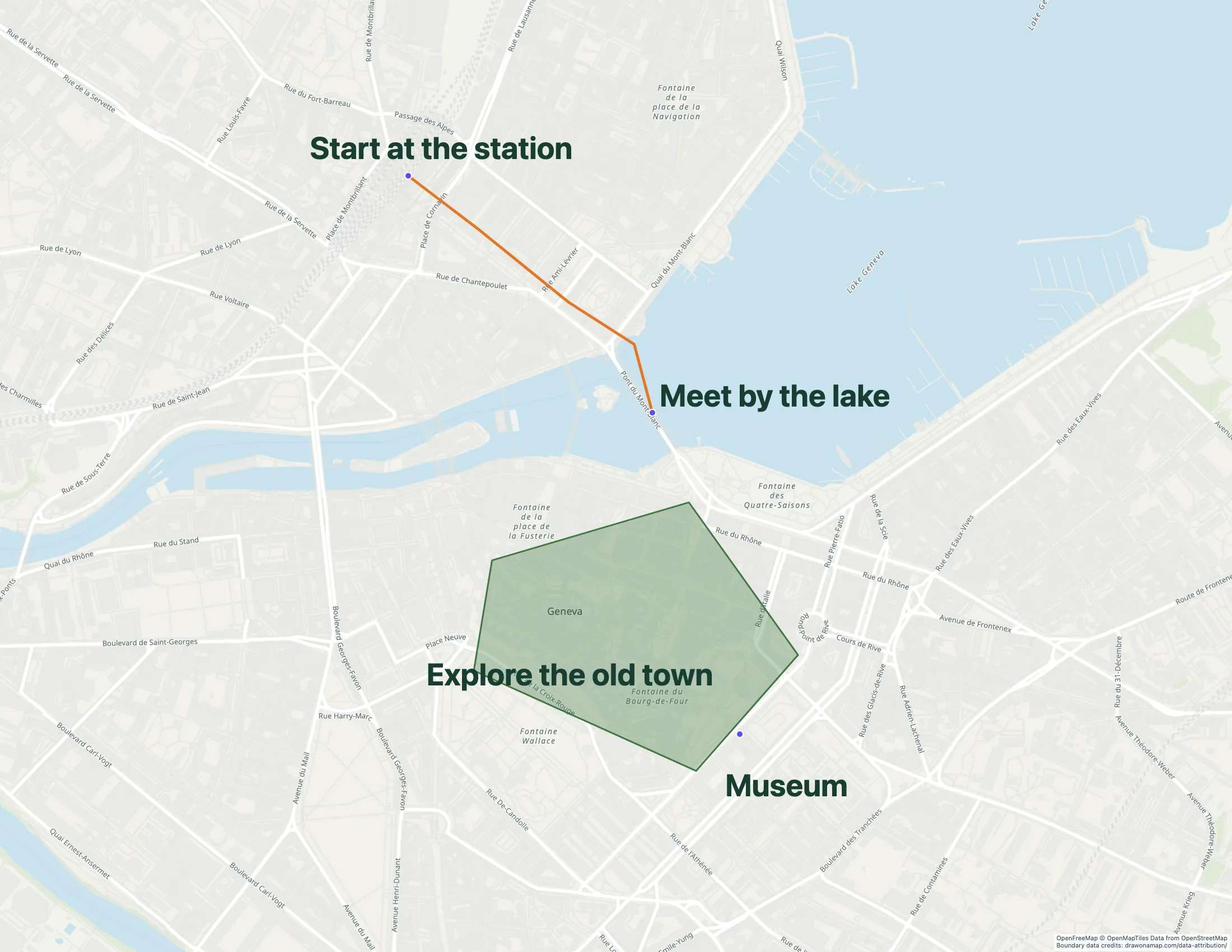
A Geneva walking route with annotations made in Draw on a Map.

Make the map you need.

Find the place you need

Search for your location and choose the map view that gives your reader enough context.

Make the instructions visible

Draw a route or area. Add markers and notes to show where to meet, go, or stop.

Send the map by link

Copy a standard share link for free. Inviting others to edit a saved map in real time requires Pro.

What you can make

Use Draw on a Map to explain a route, mark a meeting point, or draw an area and share it by link. Compare the other tools below if your map also needs business analysis or a GIS data workflow.

At a glance

Match the tool to your task
ToolBest forCost and access
Draw on a MapA quick map to draw and shareFree drawing and standard sharing. Image/PDF exports and some sharing features are paid.
MaptiveBusiness and customer analysisTrial available. $250 for 45 days; Pro is $110/month or $1,250/year.
Scribble MapsMore drawing and analysis toolsFree tier. Pro Basic is $19/month or $14/month with annual prepayment. Business costs more.
FeltGIS data and team reviewPersonal is free for non-business use without file uploads. Business use needs a paid plan; a trial is available.

Choose what your map needs

1. Draw on a MapOur product

Best for
A quick map to draw and share
Cost
Free drawing and standard sharing. Image/PDF exports and some sharing features are paid.

Draw lines and areas, then add markers and notes to explain a route or place. Core drawing and standard share links are free without an account. Sign in to save an editable copy. Real-time collaboration requires Pro. PNG and PDF downloads are free with a watermark.

Check the fit: you need business-data analysis, automatic stop-order optimization, or a managed GIS workspace.

Open Draw on a Map

2. Maptive

Best for
Business and customer analysis
Cost
Trial available. $250 for 45 days; Pro is $110/month or $1,250/year.

Maptive supports business-location analysis and territory work. Compare it if you need to answer questions about customer locations rather than explain a place with a drawing.

Check the fit: you only need a few markers and a drawing to share. Check the cost of the business plan against that task.

Maptive product details

3. Scribble Maps

Best for
More drawing and analysis tools
Cost
Free tier. Pro Basic is $19/month or $14/month with annual prepayment. Business costs more.

Scribble Maps combines a drawing editor with analysis tools. It has free use, while heatmaps and other tools require a paid plan.

Check the fit: your task only needs a route, area, or note. Check which plan includes the analysis tools you need.

Scribble Maps product details

4. Felt

Best for
GIS data and team review
Cost
Personal is free for non-business use without file uploads. Business use needs a paid plan; a trial is available.

Felt supports GIS imports, map comments, permissions, and connected data sources. These matter when your team maintains and reviews geographic datasets.

Check the fit: you only need a drawing to send to someone. Its free Personal tier excludes business work and file uploads.

Felt product details

Make a map that explains one thing

A marked entrance, a walking route, or an area boundary can give your reader the information they need. Draw on a Map lets you add these details in the browser and send the result with a standard share link. Start with the place, then draw only what helps someone understand it.

Use labels for instructions that a line cannot explain, such as where a group should meet. Check that the map view includes useful landmarks before you share it.

Choose a tool for the data work you need

If you use Felt to maintain GIS data, list the parts of that work that must continue. Include source formats, data connections, access controls, and who updates the map. Compare those requirements with the alternatives above.

Maptive covers business-location analysis. Scribble Maps combines drawing and analysis tools. Draw on a Map covers route drawings, area sketches, markers, and notes. It does not replace a managed GIS workspace or optimize the order of multiple stops.

Share a drawing or prepare a document

Core drawing and standard link sharing in Draw on a Map are free. Use a link when people need to open the map in their browser. For a document or presentation, PNG and PDF downloads are free with a watermark.

Sign in and save the map if you need an editable copy. Inviting others to edit with you in real time requires Pro. See Draw on a Map vs Felt for a direct comparison.

Keep source data when you change tools

For a GIS migration, keep the original workspace until you have checked the replacement. Confirm coordinates, attributes, labels, and the update process. Set up permissions separately, because exported geometry does not preserve access settings.

For a single explanation map, you can keep the analysis in Felt and make a separate drawing. Update that drawing if the source information changes.

Questions

Is there a free Felt alternative for drawing on a map?

Draw on a Map provides free core drawing and standard share links without an account. PNG and PDF downloads are free with a watermark. Real-time collaboration on a saved map requires Pro.

Which tool replaces all of Felt?

A drawing editor does not replace a GIS workspace. If your work depends on data imports, analysis, permissions, or connected sources, compare those requirements before you move.

Can I keep Felt for data and use another tool for drawings?

Yes. Keep the source data and analysis in Felt, then use Draw on a Map to explain a route, area, or meeting point. A separate drawing does not stay connected to the source data.