Create a map that shows people where to go and what to look for. Draw on a Map lets you add routes, shapes, and notes, then share a standard link for free.
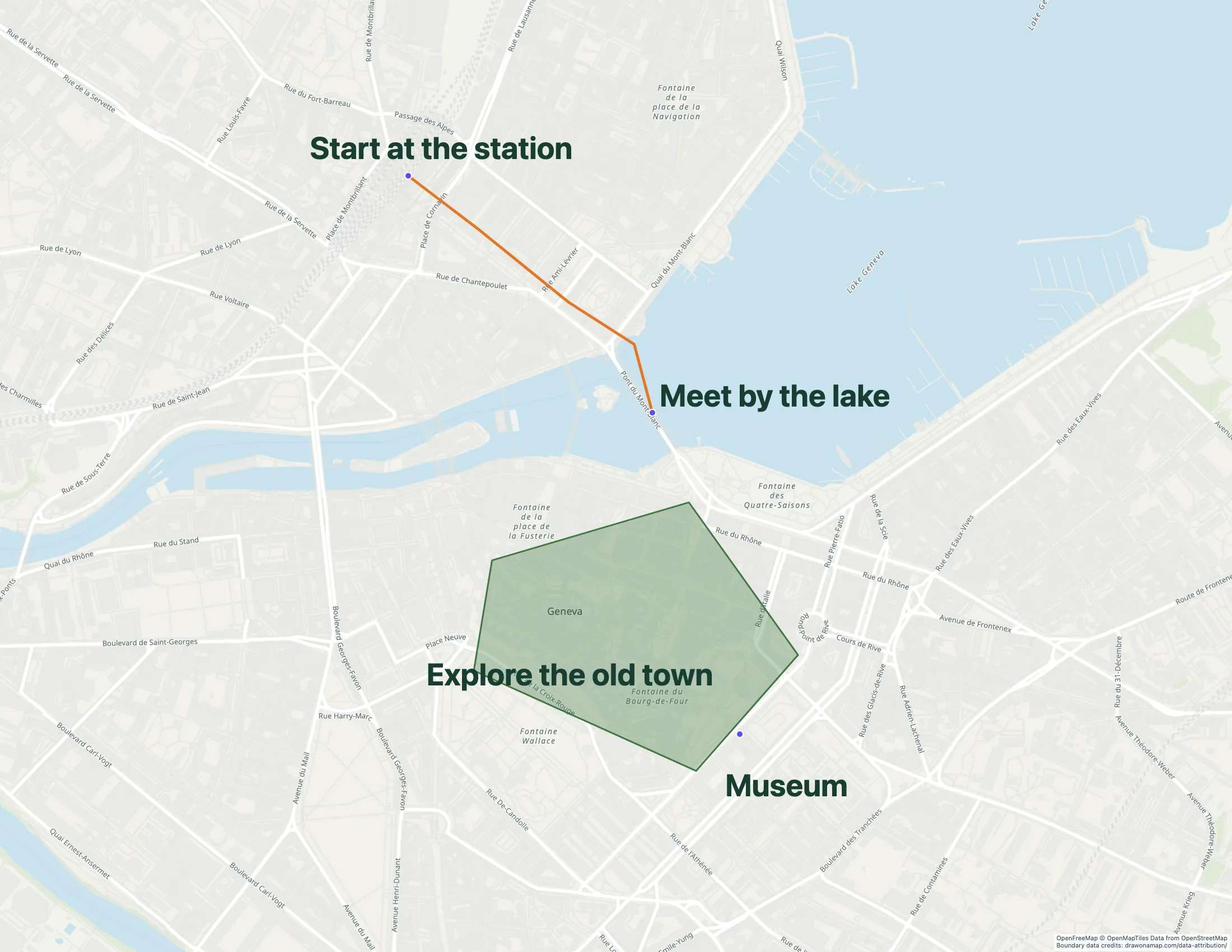
A Geneva walking route with annotations in Draw on a Map.
Make the map you need.
01
Find your starting place
Search for the location you want to explain. Start with a new map or import a map file.
02
Make the plan visible
Draw the route or area, then add markers and notes for the places that need attention.
03
Send the map
Copy a free standard share link. Real-time collaboration on a saved map requires Pro.
What you can make
Use Draw on a Map to turn a location into a clear plan with routes, shapes, markers, and notes. Start drawing and share a standard link for free, without an account. Compare the other tools below if you need a public directory, GIS data tools, or shared place lists in Google Drive.
Free drawing and standard sharing. Image/PDF exports and some sharing features are paid.
Draw lines and shapes, mark places, and add notes to explain a route or an area. Core drawing and standard link sharing are free and do not need an account. Real-time collaboration on a saved map requires Pro. PNG and PDF downloads are free with a watermark.
Check the fit: you need business-data analysis, automatic stop-order optimization, or a managed GIS workspace.
Starter is $50/month or $360/year. Higher plans add imports and more locations.
Mapme supports website directories with media at each location and category filters. Use this type of map when visitors need to browse a collection of places.
Check the fit: you need GIS analysis or a quick map drawing. Location and import limits depend on the plan.
A route line shows the path. A marker shows the meeting point. A note can explain which entrance to use. Use Draw on a Map when you need these details on one map that you can send to other people.
You can start with a new map or import an existing file. Core drawing and standard share links are free. For an image or PDF to put in a document, download a free watermarked copy or remove the watermark with Pro.
Choose by the map you need to create
An annotated route or area needs drawing tools. A public directory needs location content and filters. GIS work needs data tools. The picks above compare these tasks so you can choose a tool for the result you need.
For a shared place list that already works in Google Drive, you may be able to keep My Maps. The direct Google My Maps comparison shows how that task differs from drawing and sharing an annotated map.
Bring an existing map into Draw on a Map
Export a KML or KMZ copy from My Maps. Keep the original map while you check the copy.
Check the points, areas, and labels. Photos, descriptions, folders, and visual styles may need manual work.
Add the lines, markers, and notes that explain your plan.
Create a share link and open it to check the map before you replace an old link.
To edit the imported map with others in real time, save it and invite them with Pro. File import does not transfer the original map’s sharing settings.
Questions
Which Google My Maps alternative lets me draw without an account?
Draw on a Map lets you draw routes, shapes, markers, and notes without an account. Core drawing and standard share links are free. PNG and PDF downloads are free with a watermark.
Can I move an existing Google My Maps map?
Export a KML or KMZ copy from My Maps, then use the Draw on a Map import flow. Check the imported points, areas, and labels. Photos, descriptions, folders, and styles may need manual work.
Can other people edit my map with me?
Draw on a Map supports real-time collaboration with Pro. Save the map first. Inviting other editors requires Pro.
When should I keep Google My Maps?
Keep it if your task is to maintain a shared place list in Google Drive and it already meets your needs.
 Draw on a Map
 Mapme
Mapme Felt
Felt Google My Maps