Skip to content

Draw the route. Add the notes. Share the map.

Use Draw on a Map to show where people should go and what they need to know. Add lines, shapes, markers, and notes in your browser, then send a standard link for free.

Free to draw and share. No account needed.
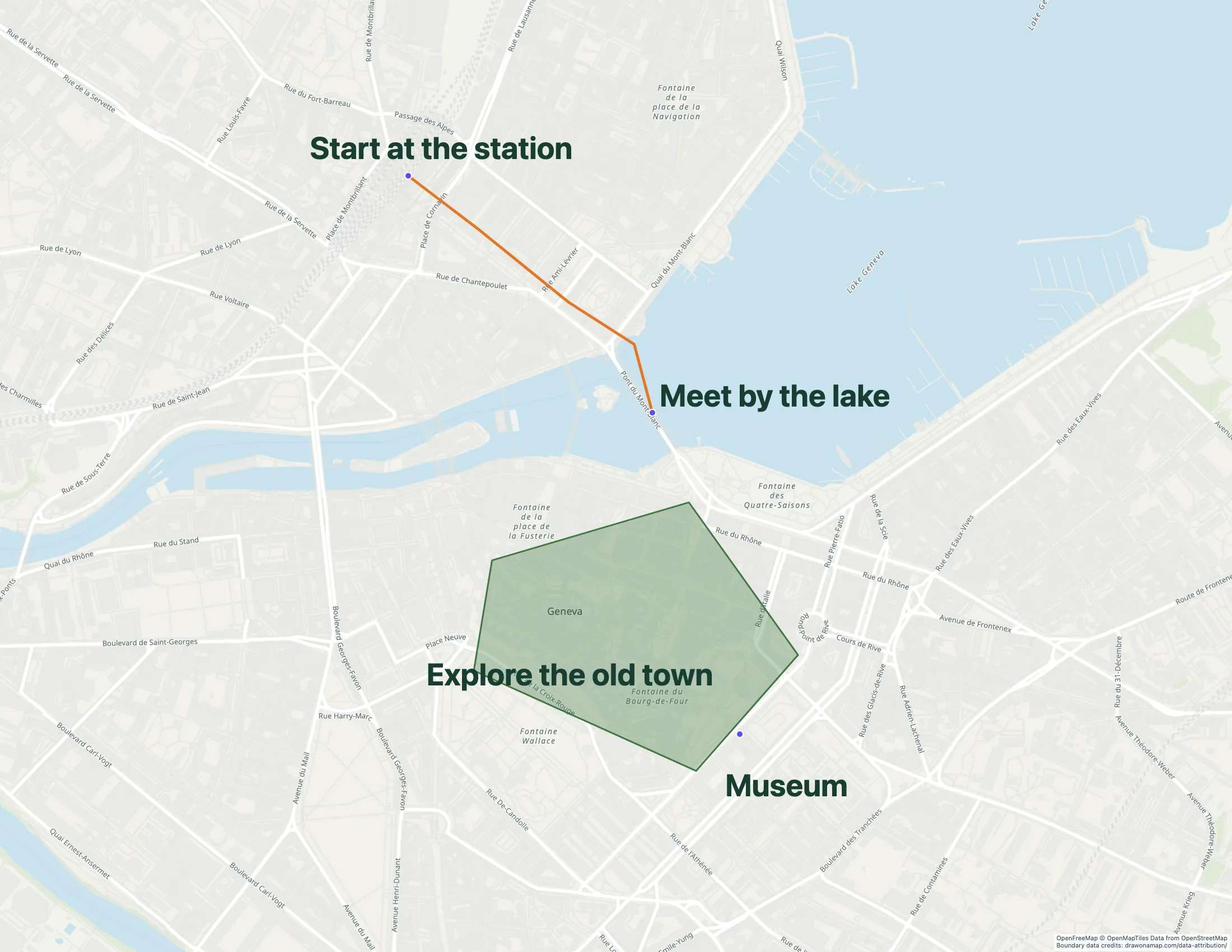
A walking route in Geneva with annotations in Draw on a Map.

Make the map you need.

Find the place

Open the editor and search for the place you want to explain. Set the view to include the route or area.

Make the details clear

Draw a line for the route or a shape around the area. Add markers and notes for entrances, meeting points, or stops.

Send the map

Copy a standard share link for free. To edit together in real time, save the map and invite others with Pro.

What you can make

Use Draw on a Map to mark a route, outline an area, and share a map with clear notes. Core drawing and standard links are free. Use Felt when the project needs connected GIS data and workspace permissions.

At a glance

Choose by the work you need to do
Can you…Draw on a MapFelt
draw a route or area without an account?Yes, with free core drawing toolsUses Personal and paid workspaces
add notes to explain the map?Add visible notes and markersSupports map comments
share a simple map for free?Yes, with a standard share linkFree Personal plan is for non-business use
import existing map data?Supported formats up to 15 MBFile uploads require a paid plan
work on a map with other people?Real-time collaboration with ProTeam review with comments and permissions

Choose what your map needs

1. Draw on a MapOur product

Best for
Routes and areas with clear notes
Cost
Free drawing and standard sharing. Image/PDF exports and some sharing features are paid.

Draw lines and shapes, mark locations, and add notes without an account. Send a standard link for free when the map is ready. Real-time collaboration on a saved map requires Pro.

Check the fit: you need connected GIS data or workspace permissions. PNG and PDF downloads are free with a watermark.

Open Draw on a Map

2. Felt

Best for
GIS data and team review
Cost
Personal is free for non-business use without file uploads. Business use needs a paid plan; a trial is available.

Felt supports GIS data imports, comments, permissions, and connected data sources. Use it when those data and access controls are part of the project.

Check the fit: the task is to draw a route or area and send a link. Its free Personal plan excludes business use and file uploads.

Felt product details

Make a map people can use

A route with a marked entrance and a meeting point gives people a clear place to go. An outlined area with notes can explain where work will happen. Draw on a Map lets you put those details directly on the map and send a standard link without an account.

Core drawing and standard sharing are free. If you need an image or PDF for a document, download one free with a watermark, or remove the watermark with Pro. Real-time collaboration on a saved map requires Pro.

Choose based on the data you need

Use Draw on a Map when your task is to explain places with lines, shapes, markers, and notes. You can also import a spreadsheet instead of adding each location by hand.

Draw on a Map does not replace connected GIS data or workspace permissions. Felt supports those data tasks. If those are project requirements, test a representative dataset in Felt. Check the geometry, attributes, and access settings before you move the rest of your work.

Felt’s Personal plan is for non-business use and excludes file uploads. Check its paid plans if you need either.

Check a data transfer before you leave the source map

GeoJSON can carry geometry and properties between tools. It does not transfer a team’s full work history, permissions, or live data connections. Keep the source project until you have checked the imported map and its data.

Read Felt alternatives for other map workflows.

Questions

Can I draw and share a map for free?

Yes. Draw on a Map includes free core drawing and standard share links without an account. Watermark-free PNG and PDF exports and password-protected links are paid.

Can other people edit my map with me?

Draw on a Map supports real-time collaboration with Pro. Save the map, then invite other people to edit it.

Is Felt free for business use?

Felt's Personal plan excludes business work and file uploads. Check its paid plans for those needs.

Can Draw on a Map replace a GIS team workspace?

Use Draw on a Map to explain routes, places, and areas. It does not replace connected GIS data, workspace permissions, or a managed analysis process.