Show visitors where to go
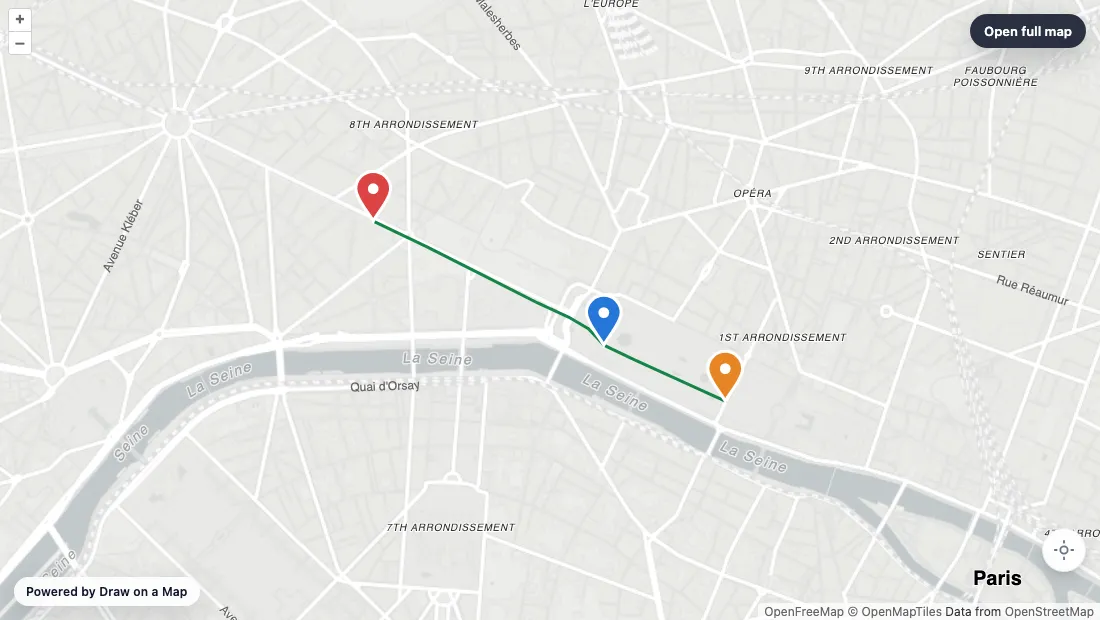
Draw a route, mark an entrance, and add the notes visitors need. Share a free standard link or use the website embed workflow.
Free to draw and share. No account needed.
Make the map you need.
Mark the places visitors need
Find your location and add markers for the entrance, parking, or meeting point.
Make the route clear
Draw the route or boundary. Add short notes to explain where visitors should go.
Put the map on your website
Use the embed workflow, then check the map at your page width and on a phone.
What you can make
Use Draw on a Map to show visitors a route, entrance, or area with lines, markers, and notes. Core drawing and standard links are free. Mapme serves a different task: a location directory with media and category filters.
At a glance
| Can you… | ||
|---|---|---|
| Explain a route or area? | Explain a route or area | Publish a location directory |
| Put the map on your website? | Embed a drawn map | Embed a map with location content and filters |
| Build a location directory? | Not a replacement for a directory builder | Location media gallery |
| Import a spreadsheet? | Supported imports in the editor | Listed from Professional |
| Customize the visitor view? | Drawing and map controls | Branding and advanced options vary by plan |
Choose what your map needs
1.
Draw on a MapOur product
- Best for
- A route or area map for visitors
- Cost
- Free drawing and standard sharing. Image/PDF exports and some sharing features are paid.
Add lines, shapes, markers, and notes to explain a route or place. Core drawing and standard links are free, with no account needed. Use the embed workflow to add the map to a website.
Check the fit: you need a location directory with media galleries and category filters. PNG and PDF downloads are free with a watermark.
Open Draw on a Map ↗2.
Mapme
- Best for
- A visitor directory on a website
- Cost
- Starter is $50/month or $360/year. Higher plans add imports and more locations.
Mapme provides location media, category filters, custom markers, and map styling for a published directory. Location counts and available options depend on the plan.
Check the fit: the map only needs to show a route, boundary, or meeting point. A directory builder may be more work than that job needs.
Mapme product details ↗Give visitors a map they can follow
A route from the station, a marked parking area, or a note beside an entrance can answer a visitor’s question before they arrive. Draw on a Map lets you put these details on one map and share it with a standard link or through the website embed workflow.
Start with the details that help someone reach the right place. Keep labels short and remove marks that do not help the visitor.
Choose by what visitors need to do
Use Draw on a Map when the map needs to explain a route or area. Core drawing and standard links are free. Sign in to save an editable account copy. Real-time collaboration on a saved map requires Pro.
Use Mapme’s directory workflow when visitors need to browse location media and filter places by category. Check its current plan table for location limits, imports, and customization options.
If you need a file for a handout, Draw on a Map exports PNG and PDF files, free with a watermark. A file does not include the controls of an interactive website map.
Check the map on your website
- Make a small map with five real locations or one complete route.
- Put it on a test page with the same width as your website.
- Open the page on a phone and use the controls.
- Ask someone to find one specific place without help.
- Change a location detail and check how the update reaches visitors.
Check that labels remain readable and the page leaves enough space for the map controls.
Let customers check an address
If customers need to enter an address and get a coverage answer, use the Service Area Widget workflow.
Read Mapme alternatives to compare website maps, shared lists, and maps for data analysis.
Questions
Can I use Draw on a Map instead of Mapme?
Yes, for a map that shows a route, area, or meeting point with notes. Use a directory tool when visitors need location media and category filters.
What can I do for free?
Core drawing and standard share links are free. Watermark-free PNG and PDF exports and password-protected links are paid.
Can other people edit the map with me?
Real-time collaboration on a saved map requires Pro. A standard share link alone does not start a live editing session.
Which Mapme plan do I need?
Check the current plan table against your location count, imports, and customization needs. Features and limits vary by plan.