Show website visitors where to go
Draw an approach route, mark an entrance, and add notes with Draw on a Map. Share a standard link for free or use the editor to prepare a map for your website.
Free to draw and share. No account needed.
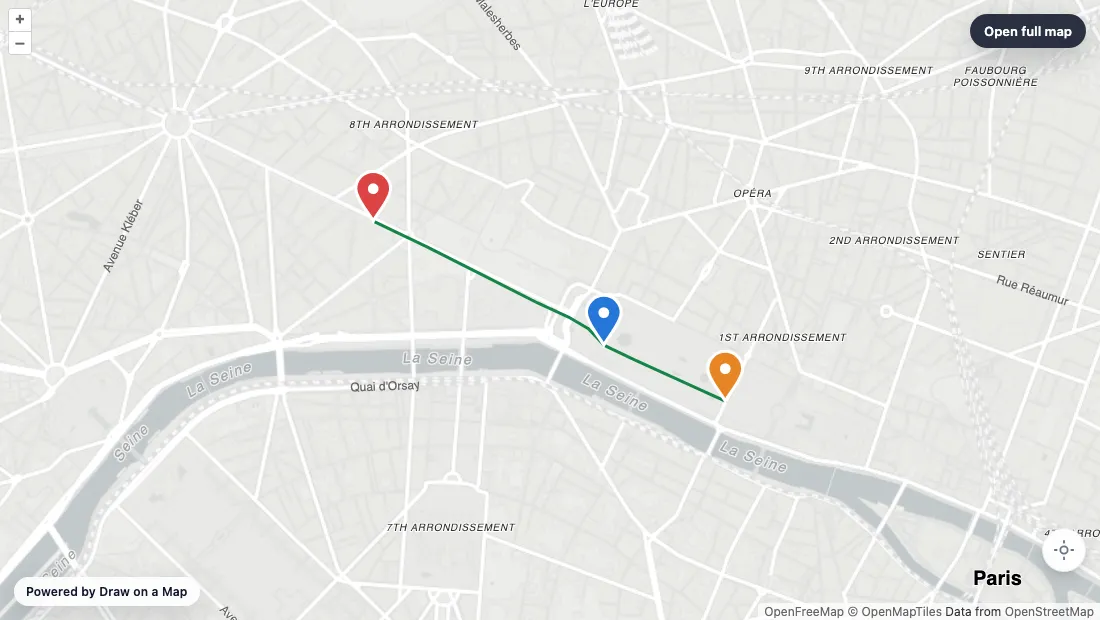
Make the map you need.
Find the destination
Open the editor and search for the place you want visitors to find. Frame the map around the nearby streets.
Mark the way in
Draw the approach route and add a marker at the entrance. Use a note to explain a meeting point or access detail.
Put the map on your site
Use the embed controls to copy the map code into your page. Check the map at your website width and on a phone.
What you can make
Use Draw on a Map to show visitors a route, entrance, or boundary on your website. Compare the other options below if you need a shared place list, analysis tools, or a directory with media and filters.
At a glance
| Tool | Best for | Cost and access |
|---|---|---|
| Routes, entrances, and boundaries on a website | Free drawing and standard sharing. Image/PDF exports and some sharing features are paid. | |
| A free shared list of places | Free with a Google account. | |

| More drawing and analysis tools | Free tier. Pro Basic is $19/month or $14/month with annual prepayment. Business costs more. | |

| A visitor directory on a website | Starter is $50/month or $360/year. Higher plans add imports and more locations. |
Choose what your map needs
1.
Draw on a MapOur product
- Best for
- Routes, entrances, and boundaries on a website
- Cost
- Free drawing and standard sharing. Image/PDF exports and some sharing features are paid.
Draw lines and shapes, place markers, and add notes to explain a location. Core drawing and standard link sharing are free and do not need an account. Use the embed controls to put the map on your site. PNG and PDF downloads are free with a watermark. Real-time collaboration on a saved map requires Pro.
Check the fit: visitors need a directory with location media and category filters. A drawn route or boundary does not replace that structure.
Open Draw on a Map ↗2.
Google My Maps
- Best for
- A free shared list of places
- Cost
- Free with a Google account.
My Maps supports a shared list of places in Google Drive, with photos and videos at locations. You need a Google account to create and organize the map.
Check the fit: you want to draw without signing in, or your project needs a larger business analysis system.
Google My Maps product details ↗3.
Scribble Maps
- Best for
- More drawing and analysis tools
- Cost
- Free tier. Pro Basic is $19/month or $14/month with annual prepayment. Business costs more.
Scribble Maps combines drawing with analysis tools. It offers free use, with heatmaps and other tools in paid plans.
Check the fit: you only need to mark a route or entrance. Check the plan for any analysis tools you need.
Scribble Maps product details ↗4.
Mapme
- Best for
- A visitor directory on a website
- Cost
- Starter is $50/month or $360/year. Higher plans add imports and more locations.
Mapme supports location media, category filters, custom markers, and map styling. These features serve visitors who browse a directory of locations. Location counts and available options depend on the plan.
Check the fit: the map only needs to show a route, boundary, or meeting point. A directory builder may be more work than that job needs.
Mapme product details ↗Use a drawn map to explain an arrival
A venue map can show the turn from the main road, the visitor entrance, and the meeting point. Draw on a Map lets you put those details on one map with lines, markers, and notes. A boundary can show which part of a site visitors should use.
Start with the details a visitor needs to act on. Keep the address in the page text and use the map to explain the approach. Follow the embed tutorial to add the result to your website.
Core drawing and standard links are free. PNG and PDF downloads are free with a watermark. Editing with others in real time requires Pro.
Match the replacement to the visitor’s task
For a route, entrance, or boundary, start with Draw on a Map. If visitors browse location photographs or filter a directory by category, compare those specific functions before you change tools. A shared place list and a business analysis map also have different requirements.
The picks above separate those tasks. Read Draw on a Map vs Mapme for the direct comparison.
Test the map in your page
Create one complete route or five representative location entries. Put the map on a test page with the same width and surrounding text as your published page.
Ask someone who did not create it to find the destination. Check the phone layout and page scrolling. Then change an entry and check how you update the published result.
If you move an existing directory, keep copies of its location descriptions, photographs, and categories. Test that content before replacing the map, and assign someone to maintain the location details.
Questions
Can I replace Mapme with a map image?
Yes, if visitors only need to see a route, entrance, or boundary. An image does not provide interactive location content or category filters. Core drawing and link sharing are free. PNG and PDF downloads are free with a watermark.
Can I put a Draw on a Map map on my website?
Yes. Create the map in the editor, then use the embed controls to copy the code into your website. Check the result on a phone and include the address in the page text.
Will an export preserve my directory?
A map export may not preserve location text, media, categories, or styling. Keep the source content and test a small set of entries before you replace the published map.