Draw the route. Add the details. Share the map.
Make a map that shows people where to meet and where to go. Add lines, markers, and notes in Draw on a Map, then send a free standard link.
Free to draw and share. No account needed.
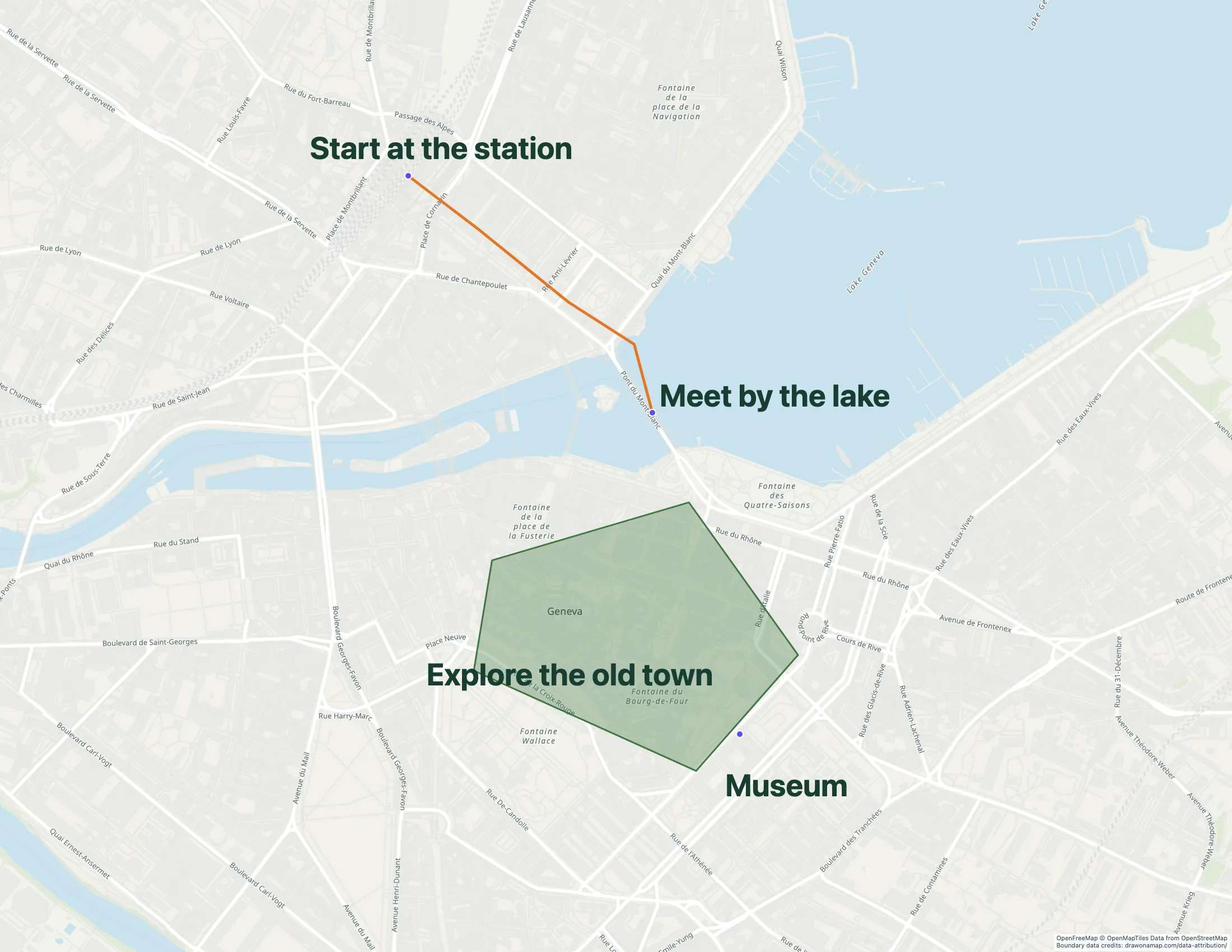
Make the map you need.
Find the place
Search for the location you want to explain. Set the map view around the route or area.
Add the instructions
Draw a line or shape and mark the key locations. Add notes for meeting points or access details.
Send the map
Copy a standard map link for free. Editing together in real time requires Pro.
What you can make
Use Draw on a Map to mark a meeting point, explain a route, or outline an area. Start drawing without an account and send a standard map link for free. Compare the options below if your map also needs a maintained place list or business analysis.
At a glance
| Tool | Best for | Cost and access |
|---|---|---|
| A quick map to draw and share | Free drawing and standard sharing. Image/PDF exports and some sharing features are paid. | |
| A free shared list of places | Free with a Google account. | |

| Business and customer analysis | Trial available. $250 for 45 days; Pro is $110/month or $1,250/year. | |

| Drawing plus data analysis | Free tier. Pro Basic is $19/month or $14/month with annual prepayment. Business costs more. |
Choose what your map needs
1.
Draw on a MapOur product
- Best for
- A quick map to draw and share
- Cost
- Free drawing and standard sharing. Image/PDF exports and some sharing features are paid.
Use lines, shapes, markers, and notes to explain a route, meeting point, or area. Core drawing and standard link sharing are free without an account. Real-time collaboration on a saved map requires Pro. PNG and PDF downloads are free with a watermark.
Check the fit: you need heatmaps, automatic stop-order optimization, or a managed GIS workspace.
Open Draw on a Map ↗2.
Google My Maps
- Best for
- A free shared list of places
- Cost
- Free with a Google account.
Use My Maps for a place list that a group maintains in Google Drive. You can add photos and videos at places. A Google account is required to create and organize the map.
Check the fit: you want to draw without signing in, or your project needs a larger business analysis system.
Google My Maps product details ↗3.
Maptive
- Best for
- Business and customer analysis
- Cost
- Trial available. $250 for 45 days; Pro is $110/month or $1,250/year.
Use Maptive for territory decisions and customer analysis based on location data. Check a representative dataset during the trial to confirm that it produces the results you need.
Check the fit: your project is only a handful of markers and a drawing. The paid business workflow may add cost without a useful gain.
Maptive product details ↗4.
Scribble Maps
- Best for
- Drawing plus data analysis
- Cost
- Free tier. Pro Basic is $19/month or $14/month with annual prepayment. Business costs more.
Scribble Maps combines drawing with analysis tools. Its Pro plans include tools such as heatmaps, proximity search, and route optimization. Check the plan table if these functions are part of your work.
Check the fit: you want to make a short annotated map and share it with Draw on a Map.
Scribble Maps product details ↗Make the map your recipient needs
A meeting point needs a marker and a clear label. An access route needs a line and notes at the turns. A boundary needs a shape that shows the area. Draw on a Map gives you these drawing tools in one editor.
Core drawing and standard link sharing are free. Use a link when the recipient needs to open the map. Export a PNG or PDF when you need a map for a document or printout. Free downloads have a watermark. See the paid features for export options.
Bring an existing map into the editor
Export a small map from Scribble Maps in a supported format, then import it into Draw on a Map. Supported formats include KML, KMZ, GeoJSON, GPX, CSV, TSV, XLSX, and shapefile ZIP, within the 15 MB limit.
For a shapefile ZIP, include the matching shape, attribute, and projection files. After import, check the geometry and labels. Keep the original project until you have checked the new map. An exported file does not transfer an analysis configuration or a paid basemap agreement.
See the Scribble Maps comparison and migration steps for more detail.
Choose analysis tools when the task needs them
Use the picks above to match the tool to your work. Draw on a Map suits visual instructions and annotations. If your project depends on heatmaps, customer analysis, or automatic stop-order optimization, check those functions in a dedicated analysis tool before you move the project.
Questions
Which alternative works for a quick annotated map?
Use Draw on a Map to add lines, shapes, markers, and notes without an account. Core drawing and standard map links are free. PNG and PDF downloads are free with a watermark.
Can I edit a map with other people?
Yes. Real-time collaboration on a saved map requires Pro.
Can I move a Scribble Maps file into Draw on a Map?
Export your map in a format that Draw on a Map supports, such as KML or GeoJSON, then import it. Check the geometry and labels after import. Heatmap settings and other analysis configurations do not transfer as an editable analysis workflow.