Show visitors the route to your door
Put your route, entrance, and notes on an interactive website map. Draw on a Map gives you embed code to paste into your page, with no API key required.
Free to draw and share. No account needed.
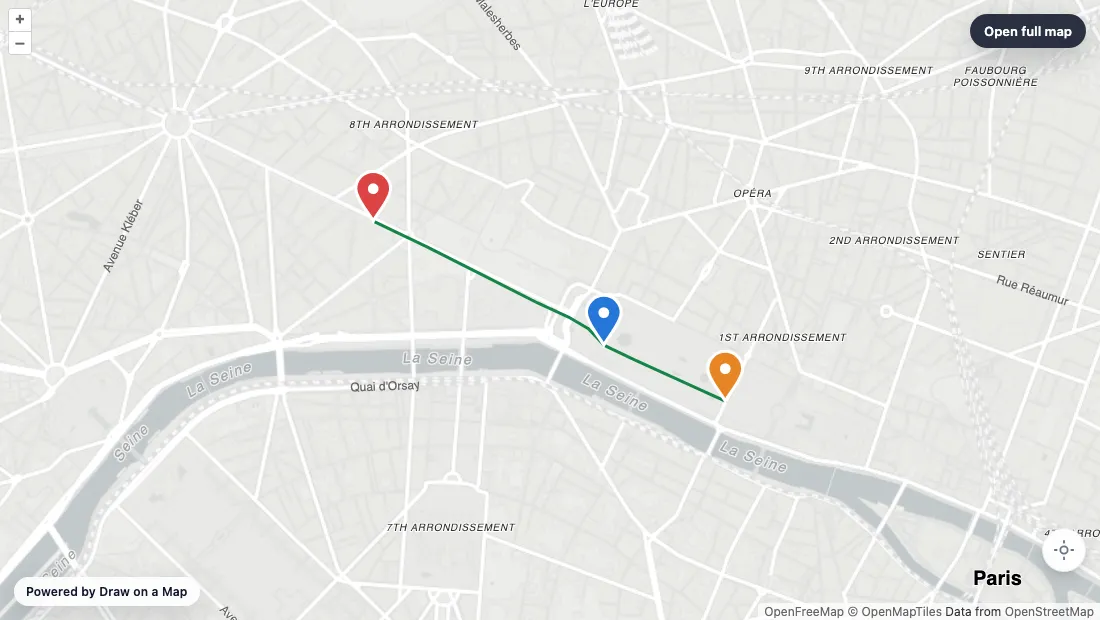
Make the map you need.
Mark the way in
Find your location. Draw the approach route and add notes for the entrance or meeting point.
Add the map to your page
Choose Embed and copy the iframe code into an HTML block on your website. Set the map height to fit your page.
Check the visitor view
Open the page on a phone and check the route and labels. Keep the address and key directions in the page text.
What you can make
Use Draw on a Map to show website visitors the entrance, walking route, or area they need. Draw on the map, copy the embed code, and add it to your page. Compare the other tools below if you need a location directory or a Google-based place list.
At a glance
| Tool | Best for | Cost and access |
|---|---|---|
| An embedded route or area | Free drawing and standard sharing. Image/PDF exports and some sharing features are paid. | |

| A directory visitors can explore | Starter is $50/month or $360/year. Higher plans add imports and more locations. | |
| A basic Google-based place list | Free with a Google account. |
Choose what your map needs
1.
Draw on a MapOur product
- Best for
- An embedded route or area
- Cost
- Free drawing and standard sharing. Image/PDF exports and some sharing features are paid.
Draw the path from a station, point out an entrance, or mark an area. Copy the embed code to let visitors pan and zoom your map on the page. You can create a basic embed without an account or API key.
Check the fit: you need rich location listings with visitor category filters.
Open Draw on a Map ↗2.
Mapme
- Best for
- A directory visitors can explore
- Cost
- Starter is $50/month or $360/year. Higher plans add imports and more locations.
Consider Mapme for a directory with location media and categories. Check its location and editor limits against the content you plan to publish.
Check the fit: visitors only need one entrance or one route. A smaller embed can answer that question with less content work.
Mapme product details ↗3.
Google My Maps
- Best for
- A basic Google-based place list
- Cost
- Free with a Google account.
Consider My Maps for a public place list that your team already maintains with Google accounts. Set up public sharing before you embed it.
Check the fit: you need a custom directory presentation or an account-free drawing workflow.
Google My Maps product details ↗Put the directions on the map
An entrance can be hard to find even when the street address is correct. With Draw on a Map, you can show the walking path from a station, mark the entrance, and add a meeting-point note. Visitors can pan and zoom the embedded map without leaving your page.
Core drawing and standard share links are free. Free embeds display “Powered by Draw on a Map.” Save the map and use Pro to remove that branding. PNG and PDF downloads are free with a watermark. Real-time collaboration on a saved map requires Pro.
Use the embed tutorial for the iframe template and setup instructions.
Choose the map for the visitor’s task
Use an annotated map for directions or a visual area boundary. If visitors need to check whether you serve their address, use the separate paid Service Area Widget.
A location directory has a different job. Visitors may need categories and location media to choose a place. Compare the directory option below against those needs.
Test the map inside your page
Put the embed on a test page with your real header, text, and spacing. Open it on a phone and use keyboard navigation.
Check that the controls are visible, labels are readable, and visitors can scroll past the map. Keep the address and essential directions in ordinary page text so visitors can use them without the map.
Publish and maintain the map
Open the published page in a separate browser session to check what visitors can see. If you change a Draw on a Map drawing, generate new embed code and replace the iframe src on your site. Check the page again after the update.
Keep editing access with the people who maintain the map. Share the viewing link or website page with visitors. Assign a person to check old locations and broken links.
Questions
Can I embed a route and notes on my website?
Yes. Draw on a Map can embed your route, shapes, and notes in an interactive map. Choose Embed, copy the iframe code, and paste it into an HTML block on your site.
Is an image the same as an interactive embed?
No. Visitors can pan and zoom an interactive embed. An image stays fixed. Drawing and standard share links are free in Draw on a Map. PNG and PDF downloads are free with a watermark.
How do I update the map on my website?
After you change the drawing, generate new embed code and replace the iframe src on your website. The embed URL contains the map drawing.
Which tool should I check for a location directory?
Compare Mapme if visitors need location media and category filters. Use Draw on a Map when your page needs a route, an area, or notes.